Showing posts with label camera. Show all posts

Saturday, October 24, 2015

Hacking a GoPro Hero3+ Black to take long exposures

I wanted to make a photo for our photo club’s monthly assignment with a long exposure by attaching my GoPro Hero3+ Black on the hood of my car with the Suction Cup mount. 

The problem was that the Hero3+ Black (I’ll call it “H3+B” from here on) tries to shorten the exposure time as much as it can by increasing the ISO, which is the opposite of what I needed it to do. I wanted to keep the ISO low, and increase the shutter open time to a few seconds to get light smears.

I searched DuckDuckGo for a solution and found this page (https://gist.github.com/KonradIT/ce55b04ab4ad10592ebf/#file-autoexechack-md) by Konrad Iturbe. 

Konrad has worked out an autoexec.ash boot script that is copied to the top level of the MicroSD card  for the H3+B. He also lists a table of values that are put in the script at the X and Y values that determine the shutter speed in seconds.

How-To when using a Mac:

What you need:

GoPro Hero3+ Black. Some people have had some success with Hero3+ Silvers and Hero2’s as well, but I don’t own any of those. Some or all of these older cameras may need a modified version of the script.

A MicroSD card from SanDisk, Lexar, or Delkin. According to Konrad's site, not all cards can support this hack, but I wonder about that since I tried a Kingston 16GB card and it worked fine. Check Konrad’s site for a list of known working cards. I think the key issue that many people have is that the autoexec.ash file isn't saved properly in UNIX format.

A MicroSD card adapter, and a card reader of some type. If you have a MicroSD card, it should have come with an adapter to fit a standard-sized SD slot. Again, reports are that not all card readers seem to work properly. I’m using an old Griffin Simplifi from 2007. It works fine for me. I doubt that the card reader is much of a factor, but I've seen bizarre stuff happen with cheap hardware over the years. 

A text editor that can save the text file as UNIX format. This is VERY important! I’m on a Mac running OS X 10.11, and I tried TextEdit and BBEdit 10.5.13, neither of which worked no matter how I twiddled with the Save dialogs.

If the file is not in UNIX format, it will be ignored when the camera boots. Instead, I used nano, which is installed with all recent versions of Mac OS X. Worked like a champ, and it's free.

Here we go!

Step 1: Set the GoPro to have the power-on default mode to be the Single Still Image mode, which is the icon of just the camera, not the time-lapse one. Shut the camera off, and remove the SD card. Put the SD card in your computer.

Step 2: Open the Terminal program. It is in Applications > Utilities. A window like this will open.
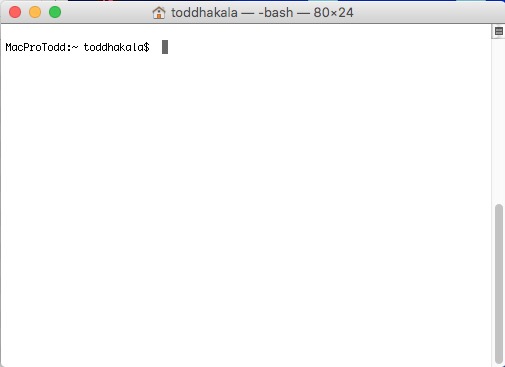


Step 3: Type (or copy and paste) the following command into the Terminal window.

nano ~/Desktop/autoexec.ash


and press Return. This will start the nano editor and create an empty text file on your Desktop called autoexec.ash.

Step 4: Copy this code and paste it into nano in the Terminal window. 

t app appmode photo
sleep 1
t ia2 -ae still_exp P X Y
sleep 1
t app button shutter PR
sleep A
d:\autoexec.ash
REBOOT yes


Step 5: You will be editing lines 3 and 6. Using the arrow keys on the keyboard (nano doesn’t respond to mouse movements), navigate the blinking cursor up to line 3 and over to the P character. Delete the P, and enter the ISO you want the GoPro to use. I entered 100.

Step 6: Next, navigate to the X in the same line, and delete it. In its place, I entered 55, which translates to about 6 seconds of exposure time. 

Step 7: The Y value is supposed to be the lens aperture, but GoPros have fixed apertures, which is 2.8 on the H3+B. Delete the Y character, and enter the same value that you did for the X. For some reason, both the X and Y values need to be the same.

Step 8: Using the arrow keys, navigate down to line 6. Delete the A, and replace it with a value in seconds that you want between exposures. I used 9 seconds.

Except for saving the file, you’re done. Here’s what my nano window looks like.


Step 9: Check over your values and make sure you didn’t add any blank lines to the script. When ready, press Ctrl-X. The bottom of the nano window will read “Save modified buffer (ANSWERING "No" WILL DESTROY CHANGES) ?” Press Y, and then, if you are happy with the name of the file, press Return. This will save the file and close nano.

Step 10: Go back to the Finder, and drag the newly modified autoexec.ash file to the SD card. Put the file in the top (root) level of the SD card, like this: 


Step 11: Eject the SD card from your computer. Put the SD card in the GoPro and power it up. When the camera comes up, it will take one picture with your ISO and shutter speed changes, and then reboot the camera and take another picture. It will keep doing this until you power the camera off again.

Tips

The P value is the ISO setting. Use 100, 200, or 400 to get less noise in your images. 

The A value is the shot interval amount in seconds. In use, the actual time between shots seems to be longer than the value entered because there is some time added due to the script rebooting the GoPro. I think the time is from the moment when the exposure starts to the start of the reboot. If your exposure is 5 seconds, and A is set to 4 seconds, I’m not sure what would happen. Remember that the camera needs some amount of time to write the picture to the memory card. Also, if you want to stop the camera and the interval is too short, you might have a hard time getting the camera to stop. As I play with this, I’ll see if I can figure out what a minimal setting would be.

The X and Y values determine the shutter speed. Values range between 2 (8.5 seconds) and 1000 (0.000158328 seconds). Below is a table copied from Konrad’s site. In the right column, the Exposure Times are in European format, which uses commas as decimal points instead of the American style of using periods. So if you are in the US, read 8,5 as 8.5.


Value (number to write in hack file)Exposure Time (seconds)
28,5
57,7
157,3
207,1
256,9
306,8
396,4
406,3
456,2
506,1
755,3
855
954,7
994,6
1004,6
1303,9
1603,3
2002,7
2552
4001
5000,56
6000,33333
10000,000158328

If you don't want to go through editing autoexec.ash files, Edward Czajka has a collection of pre-configured files that you can download through DropBox. It's here: http://edwardczajka.blogspot.com/2015/06/long-time-lapse-exposures-with-gopro.html

How to return the camera to normal operation

There are two ways to get your camera back to it’s normal configuration. One way is to format the memory card while it’s in the camera. This will delete the autoexec.ash file, and it will also delete all your pictures on the card, too. So think carefully before doing this!

The other way is to delete or rename the autoexec.ash file from the memory card manually using your computer. I’ve read that some people with an Android phone and a compatible card reader have done this. 

Alternatively, and probably easiest, you could carry two memory cards, one with the autoexec.ash file, and another one without it. Switch out the cards in the camera as you need.

Will it damage the GoPro?

Probably not. The script seems to just direct the camera as to what to do at boot. But of course, this is a non-official hack, so if something goes wrong, don't blame me. 


Results

Here's a picture I tried. ISO 100, 3.3 seconds (X & Y setting of 160).
It's been cropped in Lightroom.


Sunday, August 17, 2014

Got a new camera!

We got a new camera last week! Here's a video from the first week of ownership.


It's a DJI Phantom 2 Vision + (Plus).

This is my first "non-toy" radio control device. I'm amazed at how much technology has changed model aircraft since I was a kid.

The Phantom, or any quadcopter for that matter, would be very difficult to fly without the tiny gyroscope and flight control computer in it. Fortunately, the craft is amazingly easy to fly. It is easy to get over-confident with it, though. Even with all the fancy technology, crashing it is still a real possibility.

The Phantom also has a compass and a GPS receiver built into it. Both of those allow the aircraft to come to a fairly stable hover when both control sticks on the transmitter are released, provided it's not too windy. The GPS, if set correctly before flight, will allow the quad to fly itself back to the launch point if the transmitter signal is lost.

The flight computer also tracks how much energy is left in the battery and calculates how long it would take it to get back home before the battery is depleted. Once the battery reaches a certain discharge point, it will return to home automatically.

I like how smooth the video comes out. Watching it fly in a wind would make you think that the video would be herky-jerky, as the aircraft body often oscillates quite a bit. Thanks to the brushless 3-axis gimbal that DJI camera is mounted on, the video is quite smooth.

The only slightly disappointing part is how the camera tilt function works. The motion is very smooth, but starting and stopping the tilt is very sudden and mechanical looking. This is very obvious when watching the video on a computer.

The Phantom also has a video and telemetry downlink. The transmitter comes with a clamp to hold an iOS or Android smartphone. The free DJI Vision app displays the camera feed on the smartphone screen, enables you to change camera settings while the machine is flying, tilt the camera, take stills, and start or stop the video. Unlike a GoPro, the camera can't take still pictures while recording video.

The downlink video is pretty good even at 15 frames per second. I haven't tried any of the higher frame rates yet. The weakest part of the system is my iPhone 4s. Even when I turn the screen brightness up to 100%, the screen still gets washed out in the sun. Compounding the problem is the reflective screen of the iPhone. I'm currently looking for some way to shade the screen.

The telemetry sent back from the Phantom is interesting, but I have doubts about its accuracy. I have yet to get an accurate altitude even when the quad is on the ground. In one instance, the altitude meter indicated –20 ft, or underground.

Other things on the screen are the number of photos that can fit on the MicroSD card at the current time, how many GPS satellites the Phantom has contact with, Phantom battery level, WiFi range extender battery level, and relative WiFi signal strength.

The video and telemetry data are transmitted over a 2.4 GHz WiFi signal. The transmitter came with a WiFi range extender attached to it. Being on 2.4 GHz, though, means that the signal can be degraded by getting too close to a home WiFi base station. I have experienced the video feed freezing up on me a couple times so far, perhaps due to flying within range my neighbor's base station.

 Off to practice some more!

Monday, June 6, 2011

Help an Inventor


I thought this was pretty cool: A lens cap holder that connects to your camera's strap. It falls under the category of "Why didn't I think of that?"

I don't have a problem of losing lens caps myself, but I understand others do. My standard operating procedure is to put my lens cap in my pocket as soon as I remove it from the lens, which is a dusty and linty place.

With all the corners and crevices that make up the inner surface of a lens cap, a lens cap is a veritable dirt magnet. Invariably this dirt and lint ends up on the lens. Like I said, I don't lose lens caps, but the front element or protective filter gets coated with pocket debris through transference in short order. I need a better solution.

Yes, I know there are little thing-a-ma-jigs that tether the lens cap to the lens barrel, but having a lens cap swinging around on a string isn't a good solution, either. I take photos with the camera at all different angles, and pushing or pulling the cap out of the shot all the time would drive me bonkers. Having the cap in a secure and out-of-the-way place is a big plus for me.

The inventor, Mark Stevenson, is using kickstarter.com to finance his idea. He needs $3900 to get the molds made to start production. Pledge just $15 to his cause and, if he reaches his goal, he will send you one of the production pieces in exchange for your help. You can pledge less, or more (and get several holders in return).

If you like this, help a Mark out with what appears to be a good idea. I have my pledge in! Do you?

Click here to go to the Kickstarter project!

Update, (June 10): Good news! Mark more than doubled his pledge goal, and as of this writing, he has $9904 pledged. Kickstarter says he will be funded on June 21. Hooray!

Monday, August 30, 2010

Bitten by the Bug

I decided that I just had to have an SX-70, partially out of nostalgia, but mostly because they are such a fine piece of industrial engineering.

When I was a kid, my parents had a white SX-70, probably around 1975 or so. My Dad bought it for my Mom for Christmas, I think. I loved the mechanics of it, and would play with it for hours, opening and closing it, watching how it folded up. I never got to shoot many pictures with it, though.

I set out to buy a single SX-70. I ended up with two.


I found Marty Kuhn's comprehensive Polaroid site The Land List, which was very helpful.

I had no idea that there were so many variants of the SX-70, or that it had been produced and sold as late as the 1990's. Prior to finding the Land List, I had only known of three types: The original silver one, the white one my parents owned (now I know it was a Model 2), and the one with the sonar auto-focus system.

Yes! Sound waves focusing your camera! I know it sounds weird today, with just about every camera having computer-controlled auto-focus as standard equipment, but back then it was pretty slick. And it was successful, as Polaroid went on to produce many cameras with the sonar focusing system for several years.

The Land List helped me eliminate what I did not want to buy, such as the very odd Model 3, which has all the mirrors and motors as a regular SX-70 SLR, but has an optical viewfinder. I can't imagine what possessed Polaroid to produce this model. But then again, Polaroid's industrial design philosophy had never strayed anywhere near the conventional.

Of course, I did what everyone does when they are looking for used cameras: Go to eBay. That was a bag of pain, as the selection was low and the prices were high. This is probably due in part because The Impossible Project has renewed general interest in Polaroids, I suppose. Just look at me and why I'm writing this post.

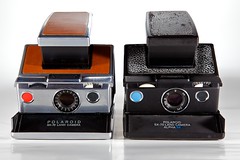
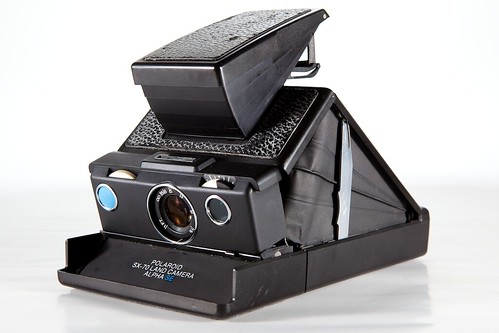
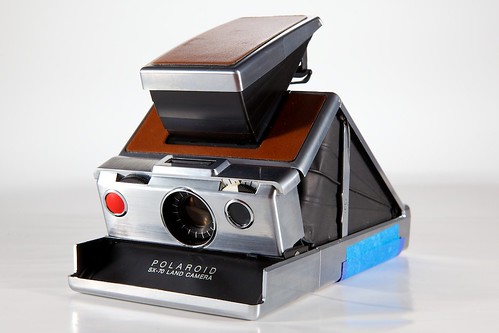
I looked around on Craigslist and found a fellow photographer, Brad Smith, that had four SX-70s listed for sale. Brad was a really nice guy, letting me fiddle with the cameras all I wanted. By the time I got in touch with him, he had already sold one of the SX-70s, but still had one of the original silver models with brown "Porvair" (a vinyl, leather-looking substance) models, and a couple of black-on-black SX-70 Alphas. I bought the original silver and the black Alpha SE from him. Except for the decaying black leatherette on the Alpha SE, both cameras were in good shape, with the original silver model being in very good to excellent condition.

So why did I buy the second one, the Alpha SE? Initially, I was thinking I would use it for parts if the silver one needed repair. The differences, I thought, would be fairly slight, and it would be easy to scavenge from the Alpha to repair the other camera, if need be. Also, one could be a guinea pig for experiments for mods, should I decide to do any. Such as hooking modern strobes to it.

An aside: By the way, Brad is cleaning out his equipment, and he has a lot of it, judging by what I saw. If you are interested in older film equipment from cameras to enlargers and other darkroom equipment, you might want to contact him, either by looking him up on Craigslist DC or sending me an email and I'll put you in touch with him. He asked me to pass along anyone interested in film-based equipment.

I took my new babies home and cleaned them up a little. For cameras that are 35 years old, they have been given amazing care. I ran a search on the serial numbers of each camera on the nifty Land List serial number lookup tool, and got this info back:


For the black-on-black Polaroid SX-70 Land Camera Alpha SE

Your camera has the Alpha 1 shutter design with the "hybrid" focus wheel.
Your camera is probably an SX-70 model 2 or Alpha 2.
Your camera was made on December 6, 1976 during the A shift.


...and…


For the original "stainless steel" Polaroid SX-70 Land Camera:
Your camera has the original SX-70 shutter electronic design ("hybrid shutter").
Your camera is probably an original SX-70 or Alpha / Alpha 1.
Your camera was made on July 5, 1974 during the B shift.


You might wonder why I put "stainless steel" in quotes just then. The original SX-70s were not metal at all. Actually, like all subsequent models, they had plastic bodies, with the original model having some very heavy, high-quality metal coating applied. The metal coating was so well done that some people swear that their SX-70 is made of brushed stainless steel, which is not the case at all. The white Model 2 and the black Alphas reveal the actual plastic construction of all SX-70s.

Next, I looked for the user manual for the SX-70, in case I had forgotten anything since my experiences with my parents' SX-70 as a child. Turns out, I had mentally filed away all I ever needed to know about this camera in order to use it. While SX-70s are extraordinarily technically complex machines, and doubly so due to their folding capability, from a user standpoint, they are very easy to use.

While searching, I did find a part of the instructions on focusing the camera that no longer has a current frame of reference. Over on this site, you can find a scan of the original SX-70 instructions, with this to say:

"Focusing is like tuning [a] radio or TV set to get best reception. Turn slightly past perfect setting once or twice to be sure you have found it."

Wow, I had forgotten about the "fine tuning" knob on my parents' old TV until I read that. Another tiny thing eliminated by the Digital Revolution.

Monday, September 7, 2009

I've known torture and I've known pain...

...and it has nothing to do with a film with Michael Caine.


My beloved Canon 5DII and it's usual companion, the 24-105 took a quick bath in a Norwegian lake on Monday. So far, the lens seems to have recovered electronically, but there are dried water spots on the second element from the front. I took it in to my favorite camera shop, Penn Camera, for an estimate. If it's fixable, I'll be without it for 4-6 weeks and be out probably $400. Bummer.


The camera seems to be salvagable. I had it sitting on the heated bathroom floor in the Bergen hotel room for 3 days, and it partially worked, but it wouldn't take a picture. The mirror would freeze at about the 2/3 point when the shutter was pressed, and the rear display indicated "Err 20".


At least the fog in the rear and top displays went away. I noticed that it wouldn't hold the date and time settings, so when I got home I looked through the instruction book and was reminded that the camera has a little coin battery, a CR1616, in addition to the rechargeable battery. I took this out (which requires a fine Phillips screwdriver to access) and tested the battery with my voltmeter: 0.38 volts it said. The battery is rated at 3.0 V.


Having had experience with dead/dying mobo computer batteries in Mac desktops, I figured that the weak battery might be causing the camera to malfunction. Off to search for a CR1616, and found one at Walgreens for $4. With nothing to lose, I put the new coin battery in, and voila!, it seems to be working fine now. As I use it, I will post further reports.